Policy Checker
The Policy Checker lets you test how a policy or organizational unit handles a specific URL. It evaluates the URL against every relevant filter and shows whether the URL is blocked or allowed, and which filter made the decision. Use it to confirm that a policy works as intended before you assign it, or to find out why a website is blocked or allowed for an organizational unit.
To access the Policy Checker page, click Content Filtering from the Main Menu, then click Policy Checker from its sub-menu.
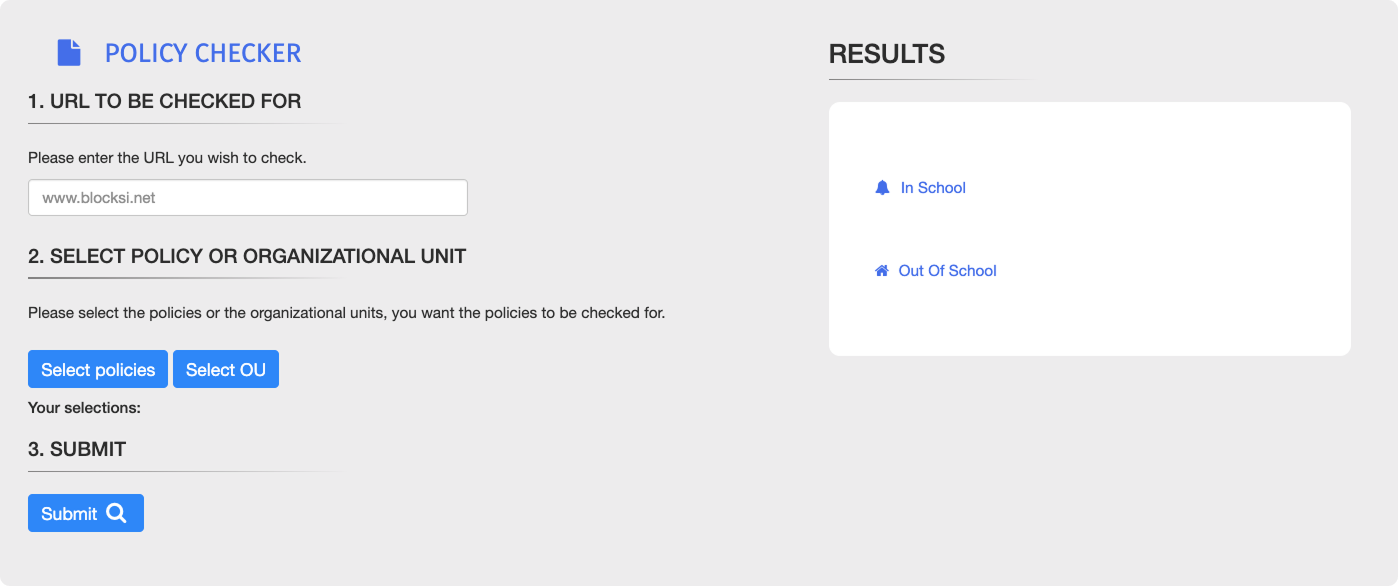
On the Policy Checker page, type the URL in the URL to Be Checked For text box.
Note
Enter a valid URL. A message below the text box shows URL valid or URL not valid as you type.
Do one of the following:
Click the
 button, then select up to three policies.
Click the
 button, then select an organizational unit.
Click the
 button. The results appear in the Results panel.
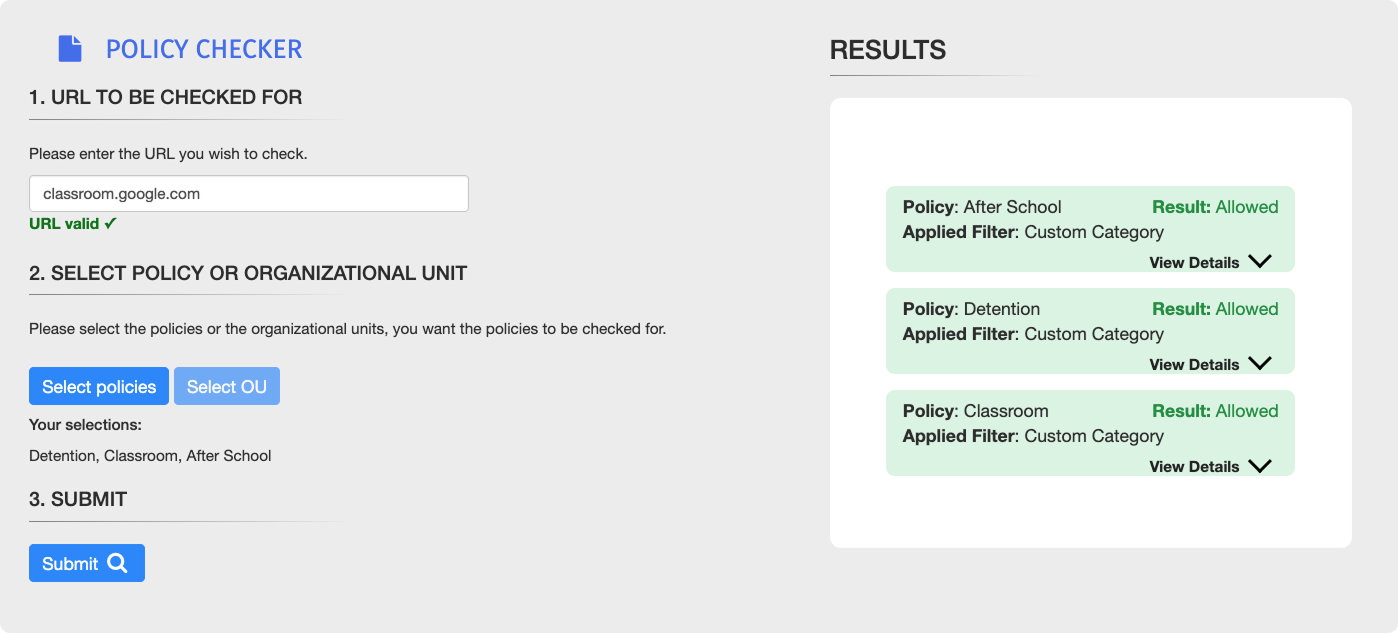
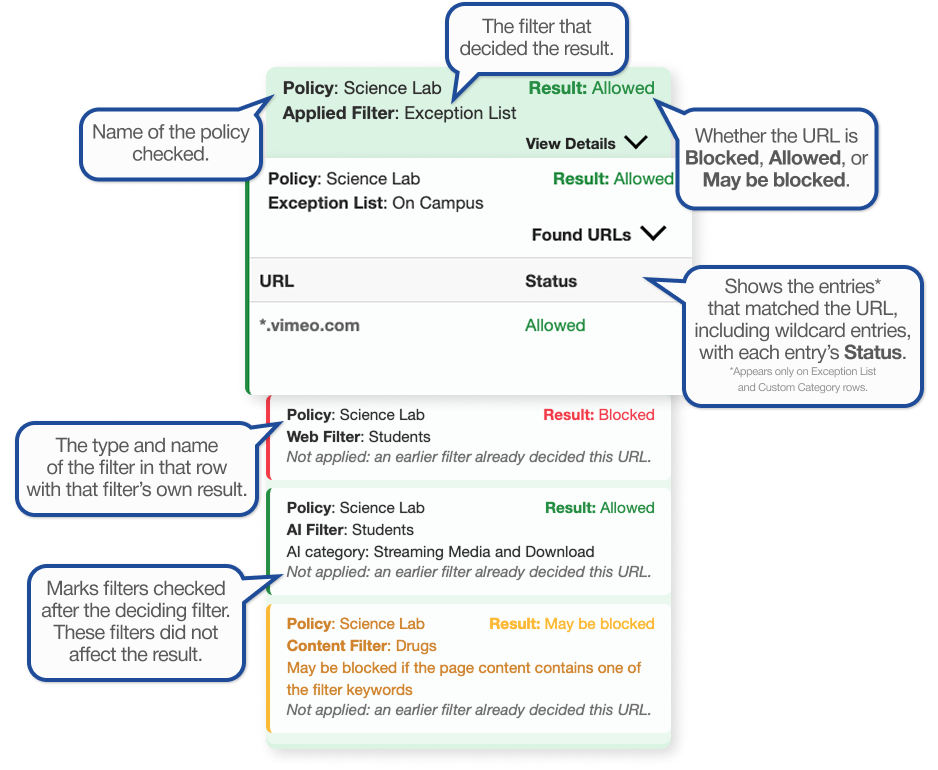
The Results panel shows one result card for each policy checked. Click View Details on a card to see every filter checked, in the order the filters were evaluated. Refer to the Filtering Hierarchy section to learn about the order in which filters are applied.
Important
A May be blocked result is not final. It appears when the policy has a Keyword Filter and the URL is not allowed by a Custom Category or an Exception List, because the Keyword Filter may still block the page.