Assigning Delegated Organizational Units
Delegates must have at least one student organizational unit assigned to their account to be able to use the Delegate Dashboard functions, such as Class Monitoring, Insights, Student Safety, Filtering, and others.
Click Dashboard Settings from the Main Menu, then click Delegate Dashboard from its sub-menu. The Delegate Accounts screen appears.
Scroll down to the delegate email list at the bottom of the Delegate Dashboard page.
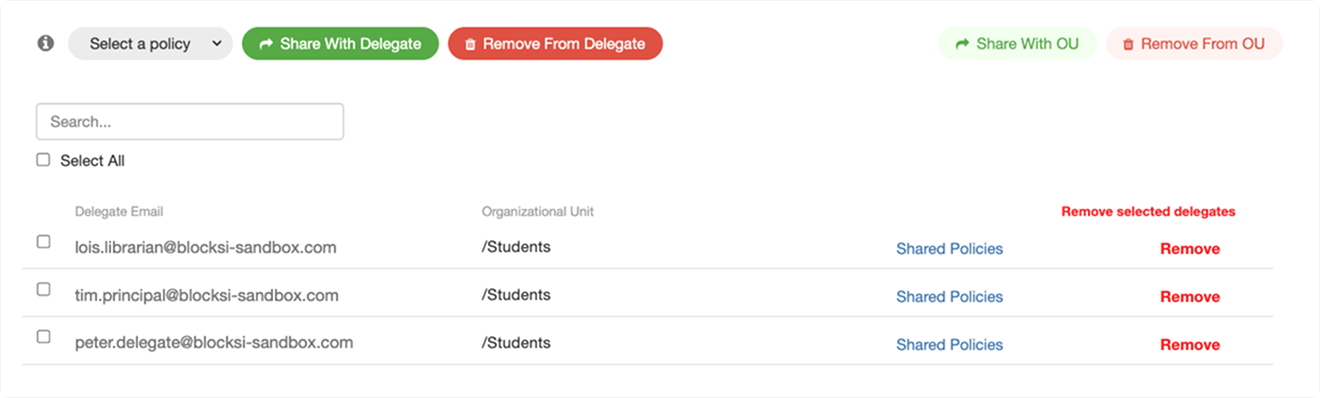
Click the email address of the delegate whose delegated organizational units you want to adjust. A window opens, displaying a list of the currently delegated organizational units.
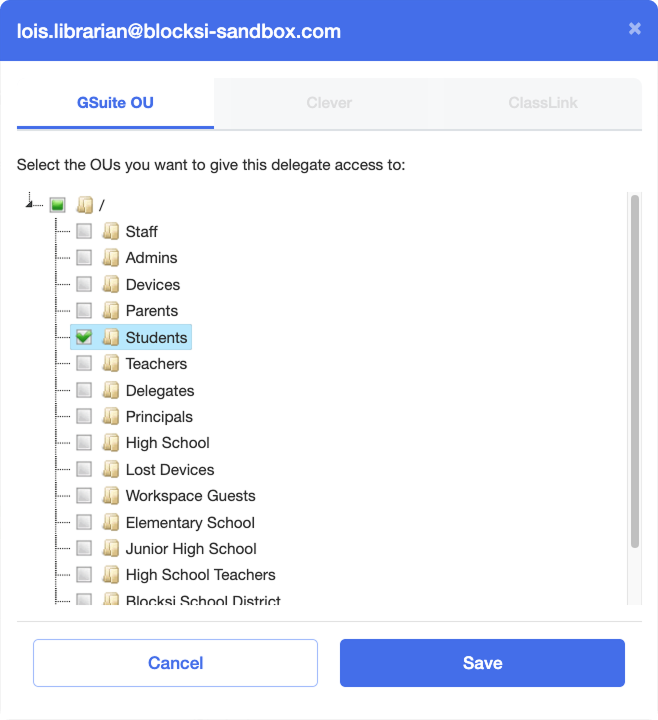
Select or deselect the checkboxes to the left of the organizational unit names, then click Save. The changes are applied and shown in the delegate email list at the bottom of the Delegate Dashboard settings page, in the Organizational Unit column of the delegate email list.