Sharing Policies
Policies can be shared with delegates to use with the Penalty Box feature.
Share a filtering policy with one or more specific delegate accounts.
Click Dashboard Settings from the Main Menu, then click Delegate Dashboard from its sub-menu. The Delegate Accounts screen appears.
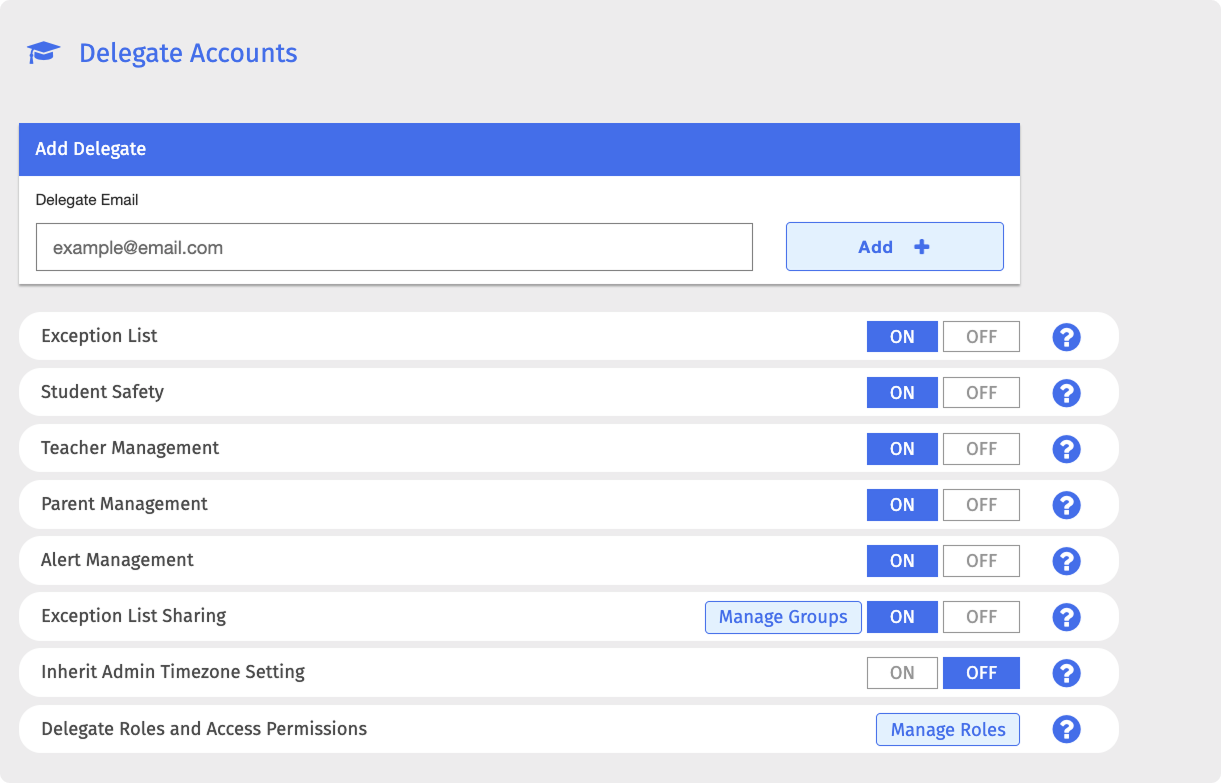
Scroll down to the delegate email list at the bottom of the Delegate Dashboard page.
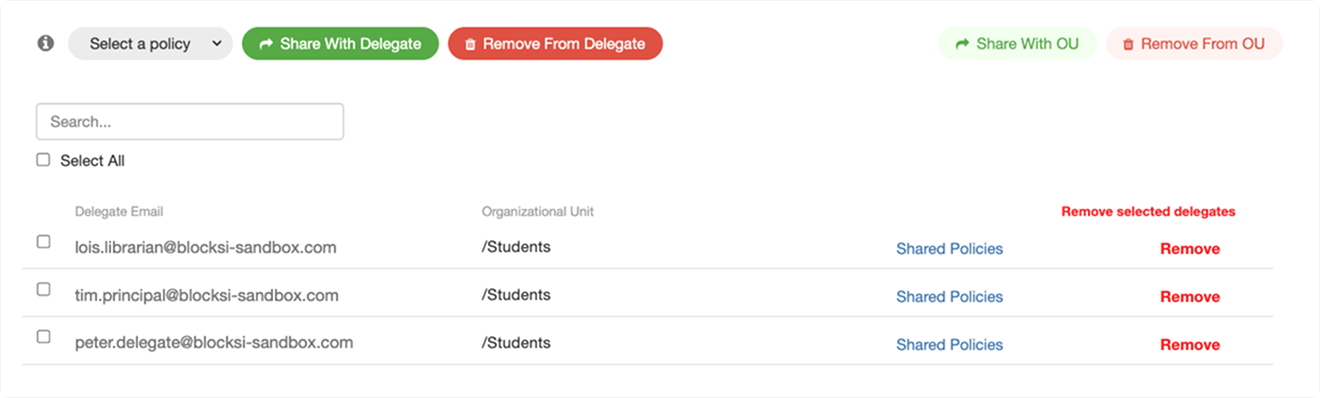
Click the
 button above the delegate email list and choose a policy from the drop-down list.
Important
Only regular policies can be shared with delegates.
Use the search field to find the delegates you want to share the selected policy with, then select the checkbox to the left of each email address.
Tip
For help searching for delegate accounts, refer to the Searching and Removing Delegate Accounts section.
Click the
 button. The selected policy is shared with the chosen delegates.
Note
To remove a shared policy from a delegate, repeat the steps above and click the
 button in place of the button.
Share a filtering policy with an organizational unit.
Click Dashboard Settings from the Main Menu, then click Delegate Dashboard from its sub-menu. The Delegate Accounts screen appears.
Scroll down to the delegate email list at the bottom of the Delegate Dashboard page.
Click the
button above the delegate email list and choose a policy from the drop-down list.Important
Only regular policies can be shared with delegates.
Click the
 button. A window for selecting an organizational unit opens. Multiple organizational units can be selected at a time.
Warning
Ensure you select only organizational units that contain delegates, not students.
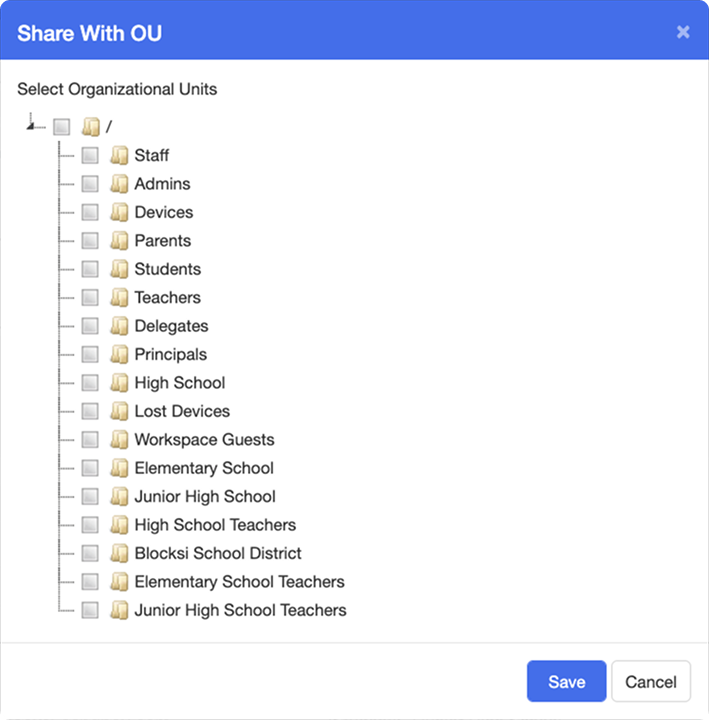
Select the organizational units you want to share the selected policy with, then click the Share Policy button. The selected policy is shared with the selected organizational units.
Note
To remove a shared policy from an organizational unit, repeat the steps above and click the
 button in place of the button.