Wonde Integration
Integrating Wonde with Blocksi allows Blocksi to retrieve teachers, classes, and parent-student pairings directly from your school's SIS. Once the integration is complete, administrators can import teacher and parent accounts, and teachers can roster their classes, using data sourced from Wonde.
Prerequisites
Before you can integrate Blocksi with Wonde, Blocksi must first request access to your school's data, and your school's Wonde administrator must approve it. Until this request is approved, your Wonde ID will not validate and data will not sync.
Request Access: Contact Blocksi Support at support@blocksi.net to initiate the data access request for your school.
Approve the Request: Log into your school's Wonde portal and approve the pending request from Blocksi.
Complete the Sync: Once approved, return to the Blocksi Admin Dashboard, and follow the steps below to complete the integration.
Click Dashboard Settings from the Main Menu, then click Teacher Dashboard from its sub-menu. The Teacher Accounts screen appears.
Scroll down to the Wonde Settings section.
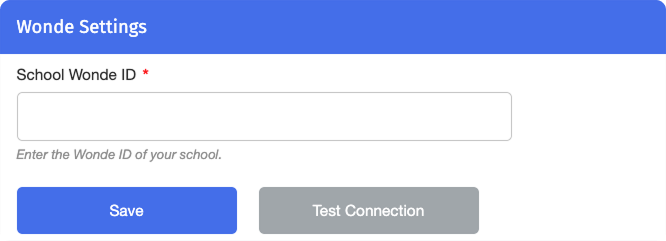
Enter your school's Wonde ID in the School Wonde ID field.
Click Test Connection to validate the configuration.
Once the testing is complete, click Save.