Content Filtering
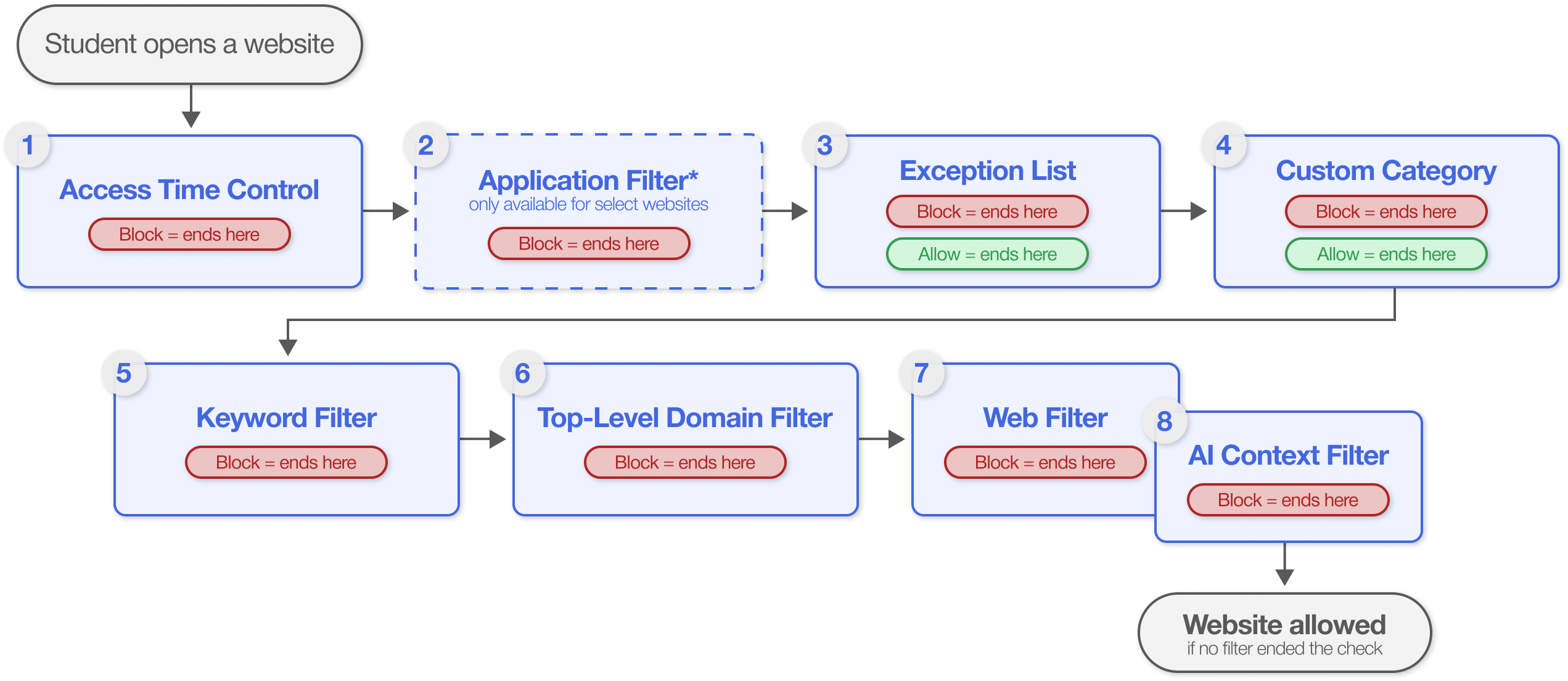
Blocksi Content Filtering controls the content students can reach on the web, according to the rules you define. Filters define individual rules, which are combined into policies. When a policy is assigned to an organizational unit, all users in that unit automatically receive its rules.
The Penalty Box applies a dedicated policy to an individual student or group of students, taking precedence over the policy assigned to their organizational unit. The Policy Checker tests how a policy or organizational unit handles a specific URL. Access Requests let students request access to a blocked page.
Important
Blocksi does not block content on its own. Every filtering rule is configured by your organization's administrators and staff, and what a student can reach depends entirely on the filters and policies you set up.
Administrators are not the only ones who can filter what a student reaches. Teachers can apply a class policy while a class is running, delegates can filter the organizational units assigned to them, and parents can filter their child’s device when the student is out of school. Which set of rules takes effect depends on where the student is and whether a class is running.
Policy Hierarchy
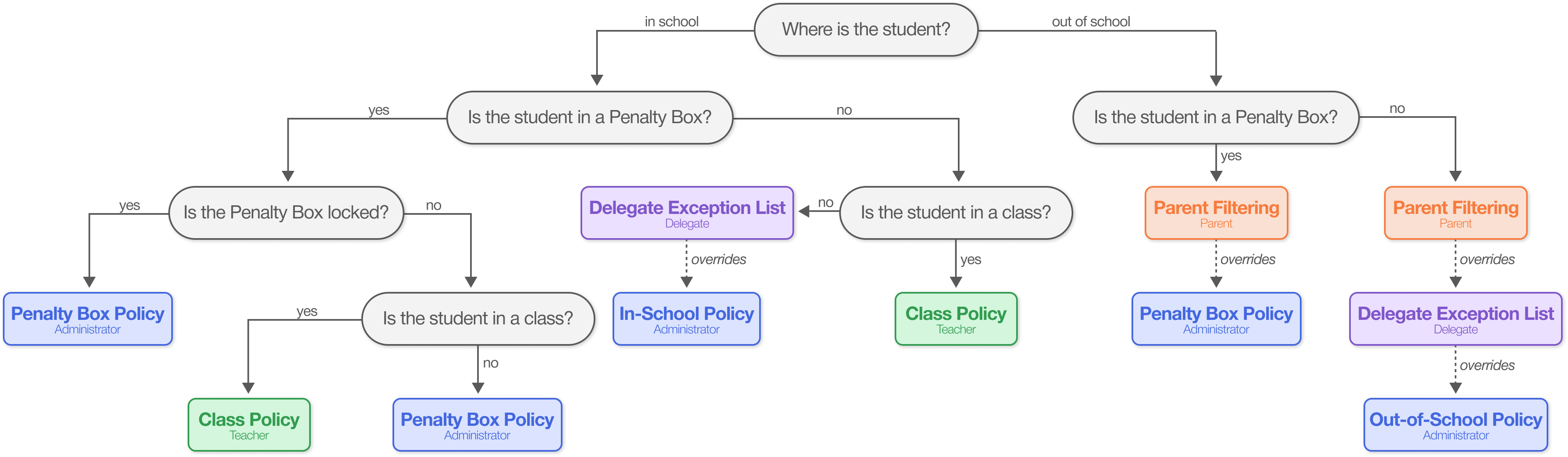
Filtering Hierarchy